Video
A synced YouTube and video player for VRChat worlds, with a clean default panel and parts for building your own controls.
VRChat gives a world a video player that plays. Keeping everyone on the same moment, catching up players who join later and giving people a way to queue links is left to the world. This package does all of it: a synced player, any number of screens and a control panel.
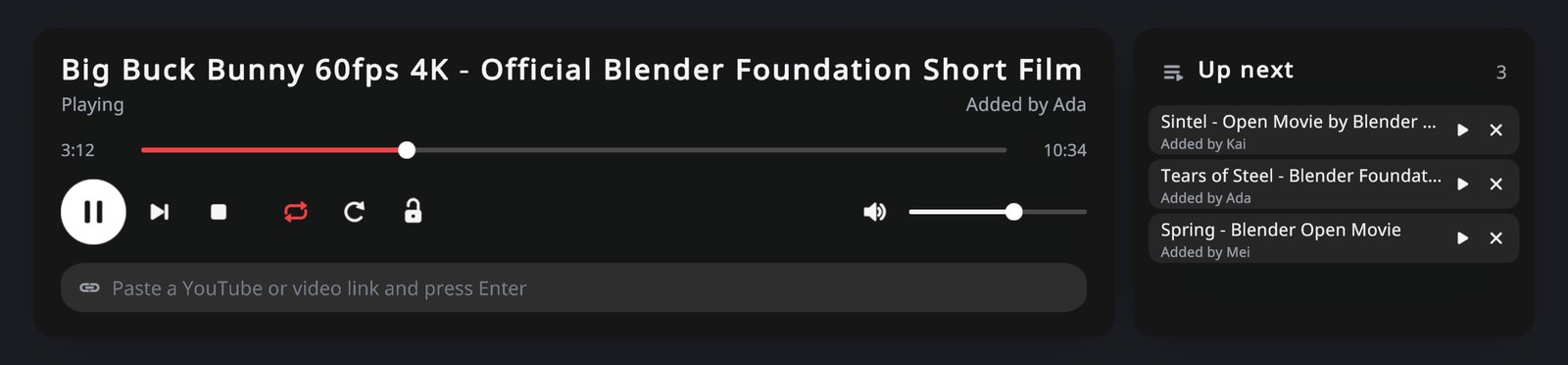
Everyone sees the same frame. Late joiners land where the room is, paused if the room is paused. Pause, seek, loop and skip are synced, and volume belongs to each player. Links queue up with who added them, a playlist takes over when the queue is empty, and a lock keeps the controls with the instance owner and the people you name.
Code talks to the player the same way the panel does:
public class Cinema : UdoniteBehaviour
{
    public VideoPlayer player;
    public VRCUrl trailer;

    public override void Interact()
    {
        player.PlayUrl(trailer);
    }
}
What is here
VideoPlayer |
The synced player: play, queue, pause, seek, skip, lock, and every value a UI shows |
VideoScreen |
Puts the picture on any renderer, letterboxed to its shape |
VideoPlaylist |
Links and titles that play when the queue is empty |
VideoButton, VideoLabel, VideoSlider, VideoLinkField, VideoShowWhen, VideoQueueRow |
The parts the default panel is made of, for a UI of your own |
VideoPart |
The base class for writing a part of your own |
| Udonite > Video | One menu item, Create Video Player; more screens, AudioLink and YouTube titles are buttons on the Inspector |
Start with Getting started. Your own UI covers replacing the panel, and Watching together covers what players see and what to do when a video will not play.